
Rename a Recorder
About this task
Each Song Meter Mini 2 can be assigned a name. This name identifies the recorder in the Recorders screen, and it is also added as a prefix to the name of each audio recording, summary file, and diagnostics file the recorder saves to its SD card. See File Name Conventions.
By default, the recorder's name matches its serial number, printed on the side of the enclosure. You can assign a custom name to serve as a quick reminder of where the files were recorded or the project they were associated with. This can be helpful for keeping your files organized during analysis.
Procedure
-
Pair the Recorder with the Song Meter Configurator App.
Configure and Unpair icons will appear next to the recorder's name.
- Tap the Configure icon for the paired Song Meter Mini 2 in the Recorders screen.
-
Under the RECORDER NAME heading, tap the text field
displaying the recorder's current name.
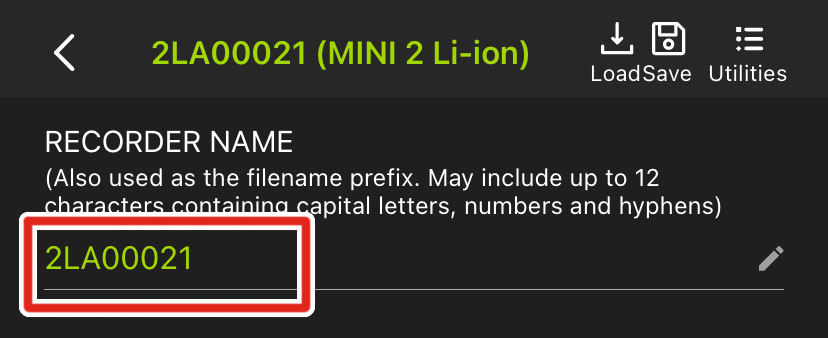
- Edit the text field.
- Tap Return, or tap outside of the keyboard interface.
Results
The edited recorder name is immediately saved.
All STATUS LEDs will flash green to confirm the setting change.
Recorder Name Requirements
Recorder names must be 12 or fewer characters. Valid characters include:
-
Capital, unaccented, Roman letters
-
Numbers
-
Hyphens
-
Underscores1
Support for underscores was added in firmware version 4.4 and Song Meter Configurator app version 2.2.