
Test the Microphone Using a Tone Generator
About this task
This test involves using a device like a computer or smart phone to generate a 1 kHz sine wave. The Song Meter Configurator can provide a numerical readout of the incoming signal level.
These instructions assume you understand basic concepts related to acoustics and recording equipment. Testing the microphone by making a test recording and subjectively assessing the recording quality is sufficient for a basic test (see Test the Internal Microphone Using an Example Recording ).
The volume of the computer or smart phone speaker, its distance from the Song Meter Micro 2, and the orientation of each device will all have dramatic effects of the value of this readout. If these factors are not kept consistent, the results of two tests cannot be meaningfully compared to each other.
This test, by itself, cannot serve as an accurate measurement of an individual microphone's sensitivity. At best, it can serve to compare the sensitivity of two Song Meter Micro 2 recorders. To perform even a basic comparison, two Song Meter Micro 2 recorders must be tested with a speaker set to the same volume with exactly the same distance and orientation between the recorder and speaker.
Procedure
-
Configure a computer or smart phone to play a 1 kHz sine wave from its
speakers.
Make sure all factors that could affect the output level of the sine wave are kept consistent between tests.
-
Position the Song Meter Micro 2 approximately one foot from the
speakers.
If testing multiple recorders, place each recorder in the same position with the same orientation for each test.
-
In the Song Meter Configurator app, open the Utilities
menu:
-
Tap Test Microphone.
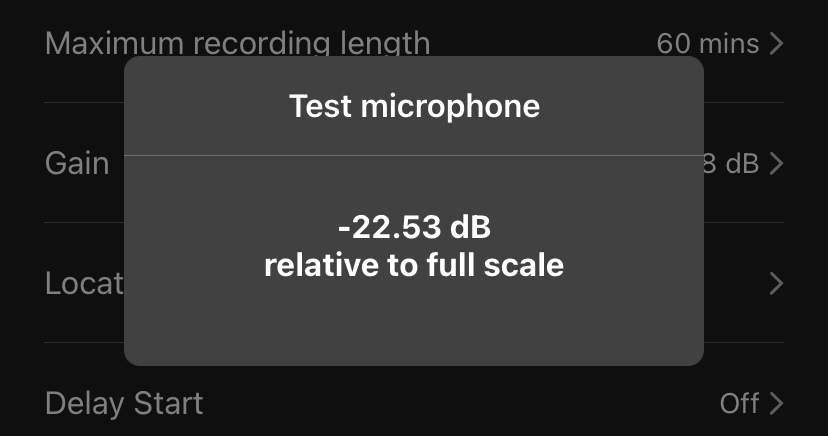
A Test Microphone window will appear.
This window shows a numerical readout of the incoming signal level, bandpass-filtered to 1 kHz, in dBFS.
- Quiet all nearby sounds except for the device playing the test tone.
- Play a 1 kHz sine wave.
- When the Test Microphone reading settles, record the measurement.