
App Information Screen
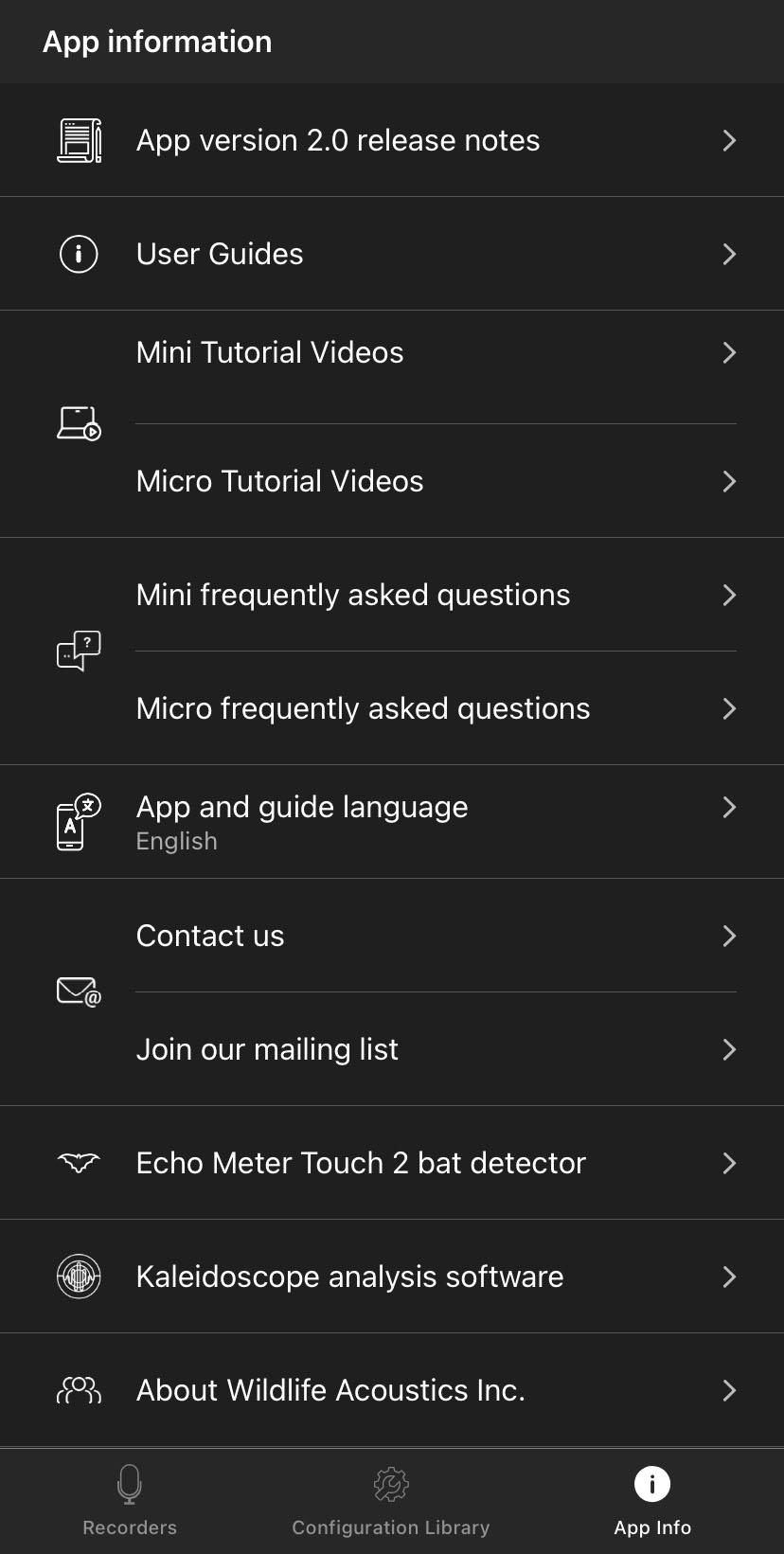
The App Information screen is accessed by tapping the App Info button at the bottom right of the Recorders or Configuration Library screens. It contains:
-
Information about the current version of the app.
-
Links to user guides, tutorial videos, and frequently asked questions for Wildlife Acoustics recorders.
-
Language settings for the Song Meter Configurator app.
-
Contact info for Wildlife Acoustics.
-
Information about other Wildlife Acoustics products.
App Version Number and Release Notes
The current version of the Song Meter Configurator app is listed. Tapping this entry opens a screen with release notes for the installed app version.
User Guides, Tutorial Videos, and Frequently Asked Questions
User guides for all versions of the Song Meter Mini and Song Meter Micro families of recorders can be accessed from within the app. These user guides are included in the app installation and can therefore be accessed without an internet connection.
The entries for Tutorial Videos and Frequently Asked Questions will open a web browser window on your device to show the corresponding pages on our website. See Video Tutorials and Frequently Asked Questions.
Viewing these pages requires an internet connection.
App and Guide Language
Tap this item to change the language used by the Song Meter Configurator app and built-in user guides. By default, the app will use the language system setting of the iOS or Android device if a translation exists for that language. A manual selection from this menu will override the default setting.
The Song Meter Configurator app is available in the following languages:
-
English
-
French
-
Spanish
-
Portuguese
-
Chinese
-
German
-
Japanese
Other Links
- Contact Us
-
Tap this item to generate a blank email addressed to Wildlife Acoustics Support, mailto:support2025@wildlifeacoustics.com. Sending an email requires an active internet connection.
You can also contact Wildlife Acoustics Support through the Support Contact Form on our website at https://www.wildlifeacoustics.com/support.
- Join Our Mailing List
-
Opens your web browser to a page where you can join our Email List. Join our email list to get notified about upcoming training opportunities, important technical service bulletins, webinars, our quarterly grant program, and product updates.
- Echo Meter Touch 2 Bat Detector
-
Opens your web browser to the product page for the Echo Meter® Touch 2, a device that allows you to hear and record bat echolocations in real-time using your smartphone or tablet. (Compatible with Android and iOS devices that have a USB-C port. Available in two versions: PRO and Standard.)
- Kaleidoscope Pro Sound Analysis Software
-
Opens your web browser to the product page for Kaleidoscope Pro, our desktop audio analysis software.
- About Wildlife Acoustics, Inc.
-
Displays a short info page about us.