
Schedule Editor Interface
The Schedule Editor occupies the lower half of the Configuration Editor Screen.
This section and the following subsections will describe the interface of the Schedule Editor and the basic functions of each element of the editing interface. For more information on how schedules work and how to design a custom schedule yourself, see Design a Custom Schedule.
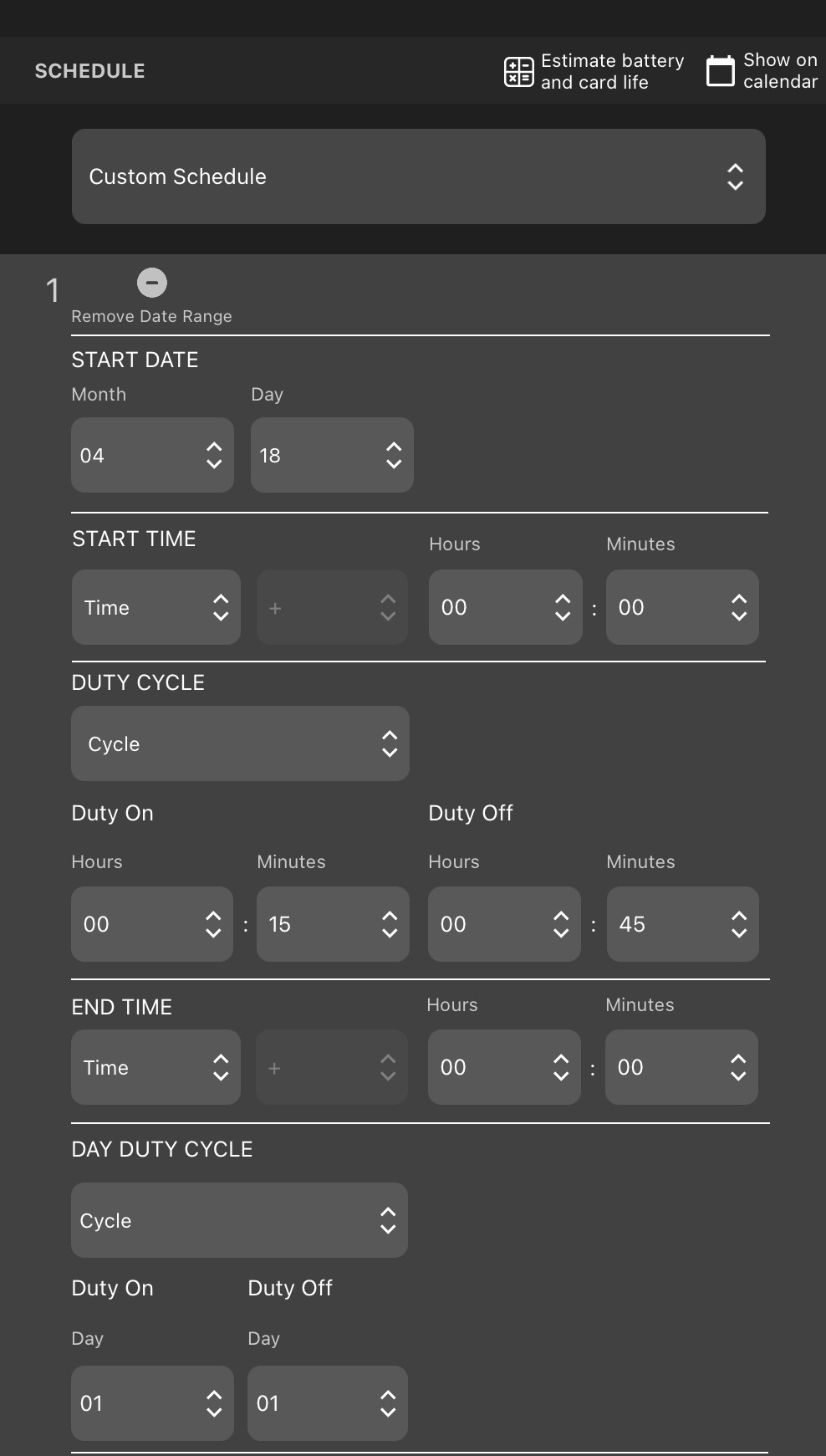
Schedule Editor: Upper Elements
- Estimate battery and card life
-
Tap to open the Estimate Battery and Card Life Window.
- Show on Calendar
-
Tap to open the Schedule Calendar for the active schedule.
- Preset Schedules
-
Tap to select one of the Preset Schedules. Doing so will overwrite the existing schedule.