
Paired Configuration Editor
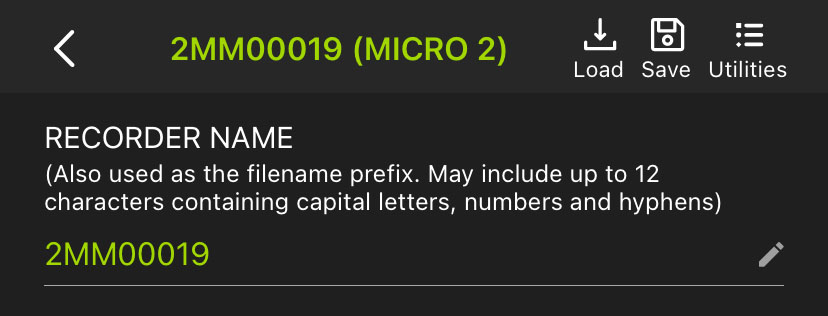
When you directly configure a paired recorder, the Configuration Editor has several unique features that are not available when editing a configuration in the Configuration Library.
Top-Most Info Bar
- < (back), Recorder Name, and Recorder Model
-
This text displays the paired recorder's name and model. Tap on this text to return to the Recorders screen.
- Load
-
Tap to load a configuration from the app's Configuration Library, updating all of the paired recorder's settings to match.
See Load a Configuration from the Configuration Library to a Paired Recorder for full instructions.
- Save
-
Tap to save a copy of the paired recorder's settings to the Configuration Library with a custom Configuration Name.
See Save a Configuration File from a Paired Recorder to the Configuration Library for full instructions.
- Utilities
-
Tap to access various utility functions. See Utilities Menu for descriptions of all available utility functions.
Recorder Name Panel
The RECORDER NAME displays the current recorder name as an editable text field. Tap on the recorder name or on the pencil icon to edit the recorder name. The default value of the RECORDER NAME is the recorder's serial number.
The RECORDER NAME is saved as the prefix of every audio file name for easy file organization. It is also saved to the metadata of each .wav audio file in the "WA|Song Meter|Prefix" field.
Send Bluetooth Beacons?
The Send Bluetooth Beacons? setting can only be edited directly on a paired recorder. See Send Bluetooth Beacons? for details on this setting.